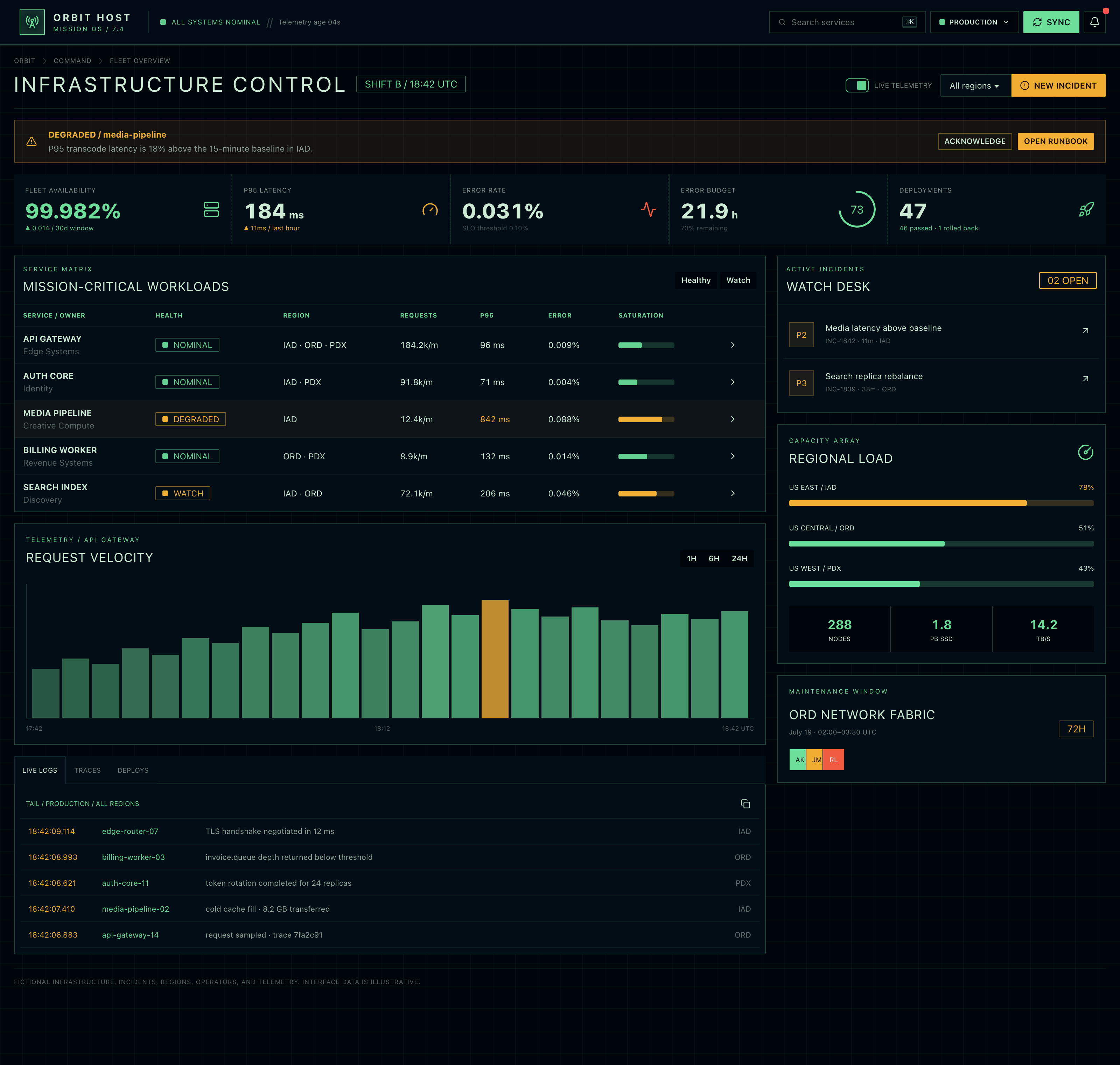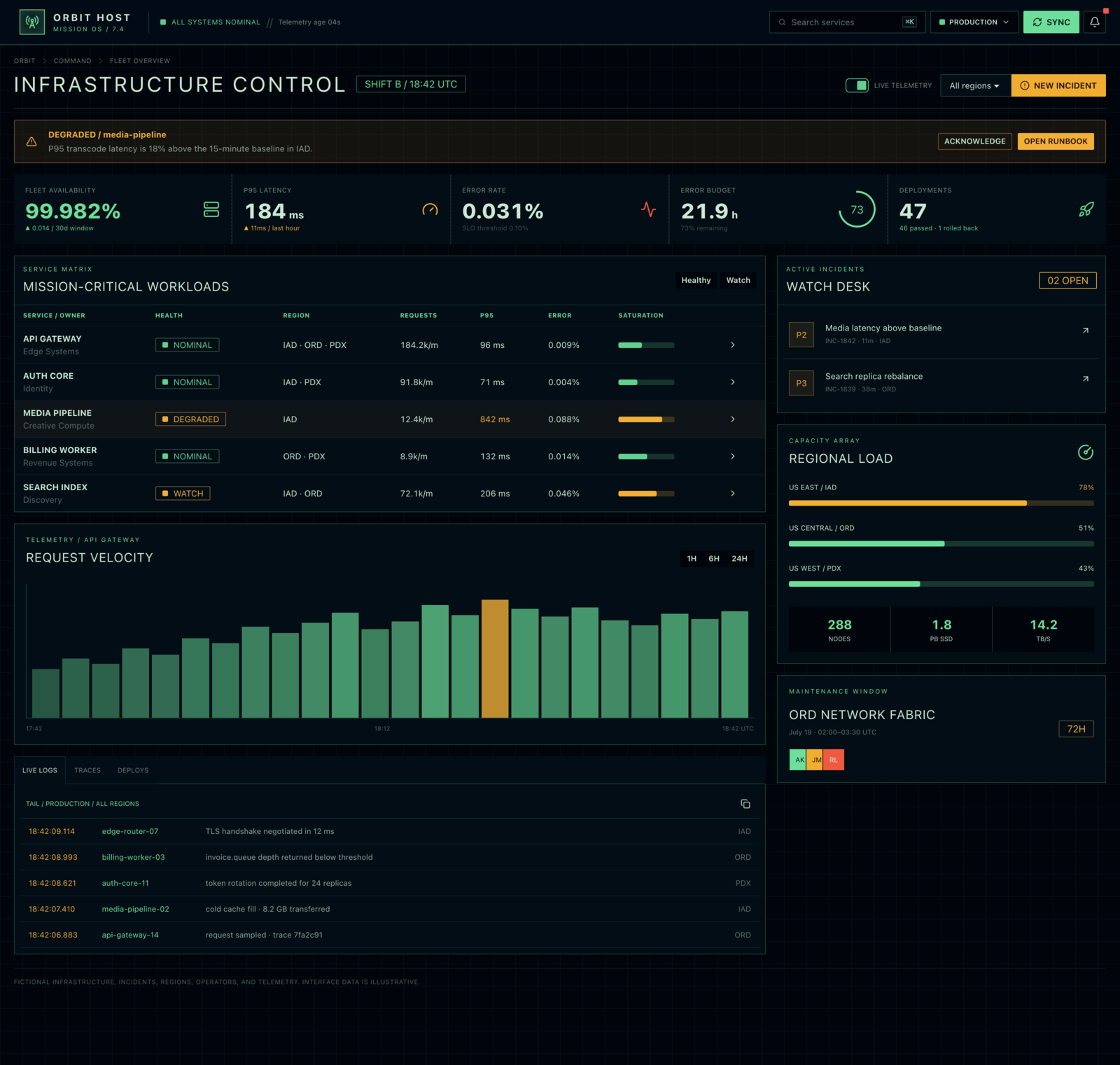
This page was made with Blueprint MCP

daisyUI The Official
UI Generator Creative Director Page Architect Design System Expert
MCP Server

The most powerful agentic UI workflow in an MCP server
10× better code quality + 10× faster results and 90% lower token costs
Provides on-demand, fine-tuned UI design knowledge to your AI agent
Convert Image | Figma | Tailwind CSS | Bootstrap to daisyUI

After purchase, your license key arrives by email. Install the MCP server, add the key, and ask your agent to use Blueprint.

BLUEPRINT
Make a landing page for my food tracking app. Use Blueprint MCP
Blueprint plans the page context, directs the design, retrieves accurate component syntax, generates the code, and verifies the result.
daisyUI Setup Expert
Installed daisyUI; added themes, icons, and fonts.
daisyUI Rules Enforcer
53 implementation rules loaded.
daisyUI Creative Director
71 creative design principles loaded.
daisyUI Page Architect
Found 211 page architectures. Chose 'Mobile App Landing Page'.
daisyUI Component Syntax Expert
Found 68 daisyUI components and used 17 code snippets.
daisyUI Quality Inspector
Passed: 100/100. Errors: 0.
Finished in 5m 10s · All tests passed · 100/100
One-shot prompt

Make an admin dashboard for server management with Retro-Futurism style

Model GPT 5.6
Front-end skill

Blueprint MCP server works with coding agents

Claude Code
Codex
Grok Build
VS Code Copilot
Cursor
OpenCode
Antigravity
ALL WEBSITES LOOK THE SAME

Sick of AI slop?

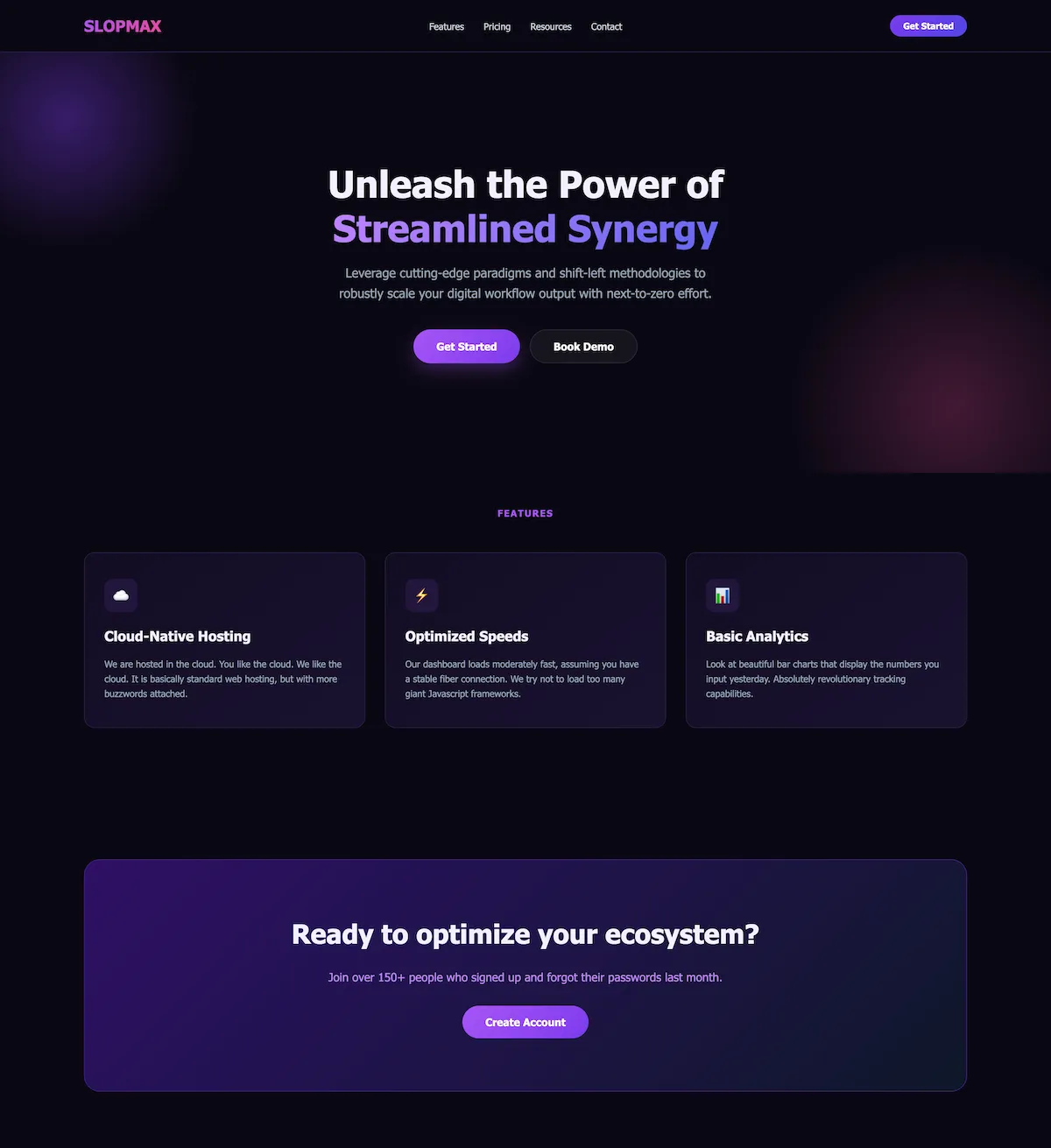
AI-generated sites arrive with outdated dependencies, stale syntax, copy-paste layouts, the same color palettes, purple gradients, inconsistent spacing, and a structure so mediocre that no one wants to use it.

Example of a generic AI-generated landing page
The most mediocre layout
Boring, inauthentic color palette
Looks like every other AI-generated site
Inconsistent components, no design system
Inaccessible, inefficient, and unmaintainable code
AI slop content and lack of structure
Purple gradients everywhere
TRYING TO FIX THE SLOP WITH INSTRUCTIONS?

Your LLM ignores the instructions and skills.

Agent skills are collections of instructions and rules. Check the logs and the pattern is familiar: the model reads a few files, skips the rest, ignores inconvenient rules, and moves on.

UI work needs more context than most tasks. Yet as the instruction set grows, the chance of selective reading grows with it.

Skill files inspected
Ignored 40% of the rules
Skipped 23 files due to overconfidence Ignored the rules and treated them as suggestions only
  • SKILL.md read
  • references/components.md Lines 1 to 120
  • references/themes.md Lines 1 to 120
  • references/design.md partially ignored
  • references/anti-patterns.md partially ignored
  • references/accessibility.md partially ignored
  • references/responsive.md partially ignored
  • references/quality-checks.md skipped
Wasted time, wasted effort, wasted tokens

Tired of wasting tokens? Use less AI tokens

Without clear instructions, AI creates the same generic UI for everyone. That's why trends like purple buttons and gradients quickly became overused.

Making the design unique takes many prompts, additional edits, wasted time, and LOTS of tokens.

What if... you could one-shot a unique, original, and functional UI without any effort?

No slop. No skip. No waste.

BLUEPRINT

Meet the Blueprint MCP tools

Setup Expert
Rules Enforcer
Creative Director
Page Architect
Component Syntax Expert
Quality Inspector
THE REAL SOLUTION

Blueprint fixes that.

Introducing a mandatory MCP workflow.

Every tool has a defined job and a strict execution order. Each tool provides the necessary resources and functionality to your agent. The agent must follow these rules sequentially. It cannot skip steps, invent component syntax, or mark unfinished work as complete.

Rules and principles
168
LLM is forced to read and follow
Page architectures
211
Matched by intent
daisyUI components
68
Syntax, examples, code snippets
Final inspection
100/100
Finds and fixes visual issues
01 Mandatory

Setup Expert

Reads the repo first. It understands dependencies, framework, configuration, themes, colors, fonts, icons, and file structure before your agent changes a pixel.

Your agent gets the daisyUI install instructions, daisyUI config, and daisyUI custom theme setup when needed.

02 Mandatory

Rules Enforcer

Loads implementation, syntax, accessibility, responsive, theme, media, and quality rules as requirements your LLM must follow.

The workflow cannot continue by skimming half a skill file and quietly dropping the difficult constraints.

03 Creative direction

Creative Director

Directs UX, content, originality, color, composition, typography, imagery, design trends, and motion as one coherent idea.

Instead of another purple-gradient template, the page gets a point of view connected to its product and audience.

04 Architecture

Page Architect

Chooses from 211 page architectures covering purpose, structure, content, goals, states, edge cases, and component composition.

Your LLM stops guessing what belongs on the page. It gets a production plan shaped around the job the page must do.

05 Mandatory

Component Syntax Expert

Retrieves exact, correct daisyUI component structures, variants, code snippets, and examples only when the page needs them.

No stale syntax from model memory. No utility pile pretending to be a maintained component.

06 Final gate

Quality Inspector

Audits the finished source for visual problems, syntax errors, accessibility issues, responsive failures, and ignored rules.

When the inspection finds a problem, your agent has to fix it before the workflow can call the page finished.

Convert everything to daisyUI.

Blueprint gives your agent the tools to understand the source first. It extracts the structure, chooses the matching daisyUI components, supplies exact snippets, and checks the conversion when the code is done.

daisyUI

Figma to daisyUI

Reads frames, hierarchy, auto layout, type, color, component instances, and a rendered preview before matching daisyUI patterns.

Figma / Checkout / Payment form
daisyUI / card + fieldset + input + button
Works with Figma API
daisyUI

Tailwind CSS to daisyUI

Preserves layout and behavior while replacing hand-built component utility stacks with current daisyUI structures.

Screenshot daisyUI

Screenshot to daisyUI

Analyzes hierarchy, density, states, and responsive clues, then rebuilds the reference with accessible daisyUI components.

daisyUI

Bootstrap to daisyUI

Maps Bootstrap components to daisyUI while keeping the content, semantics, structure, and interaction model intact.

daisyUI

Picture color palette to a daisyUI theme

Extracts an image palette, assigns semantic roles, calculates readable content colors, and generates every required daisyUI theme variable.

See Blueprint in action

Watch Blueprint's MCP server create unique, authentic UIs from a simple prompt. The server gives your AI agent the context it needs: design-system principles, code snippets, and UX direction. When the page is finished, Blueprint inspects the code and fixes visual issues.

COMPARE WITH OTHER OPTIONS

All-in-one.

Documentation context helps an LLM answer questions. Blueprint surrounds that official source with project setup, creative direction, page architecture, exact component retrieval, conversion workflows, and a final inspection gate.

Comparison of daisyUI Blueprint MCP, daisyUI Skill, Context7 MCP, and GitMCP
daisyUI
BLUEPRINT
MCP
daisyUI SkillContext7 MCPGitMCP
daisyUI Official
Fine-tuned for daisyUIImpossible to fine-tuneImpossible to fine-tune
Data sourceAuthored & verifiedAuthored & verifiedAI-generatedAI-generated
Resource accuracy100% accurate100% accurateConfuses random reposConfuses random pages
Includes unwanted contextNoDepends on the LLMYesYes
Creative direction
211 page architectures
Design trends catalog
Code snippets
Quality inspection
daisyUI design system specs
Converts Figma to daisyUI
Converts Tailwind CSS to daisyUI
Converts Bootstrap to daisyUI
Generates themes from an image
Provides component pictures to AI
Generates AI slopLess likelyDepends on the LLMMore likelyMore likely
UpdatesSynced with daisyUISynced with daisyUIDepends on a crawlerDepends on a crawler
Token usage efficiencySuper efficientNot efficientWastes tokens on unrelated contextWastes tokens on unrelated context

F.A.Q.

Need something else? Email [email protected] and we will help.

Is this a one-time payment or a subscription?

Both are possible. You can purchase a monthly license, yearly license, or lifetime license.

What happens after I pay?

You will receive an email with a license key that you can use to activate the MCP server. If you don't see the email, check your spam folder.

Will I receive updates?

Yes. Blueprint is updated automatically with the latest version of daisyUI. New MCP tools, resources, and prompts are added automatically.

Do I get customer support?

We offer support via Discord. Join the daisyUI Discord and ask your questions there.

Open Discord
Can I cancel my subscription?

Yes. You can cancel at any time from the order portal. You will keep access until the end of your billing cycle.

Manage orders
Can I get a refund?

Digital products are not refundable. If there was a payment mistake, such as a duplicate payment, email us and we will help resolve it.

Email [email protected]
I didn't receive the email

Check your spam folder first. If you still can't find it, email [email protected].

Email support
I bought the wrong package

Email [email protected] and we will help you get the right package.

Email support
There was an issue with the payment

If the payment failed and you did not receive the product, try again. If money was deducted, it is usually refunded automatically within one or two weeks. Email [email protected] if the issue persists.

Email support

Get Blueprint

1 Month license

$22 / month

Billed every month

cancel anytime

  • All features
  • 3 day free trial
  • For up to 2 clients
  • Updates and new features included
Most popular

3 Month license

$45 / quarter

Billed every 3 months

cancel anytime

  • All features
  • 3 day free trial
  • For up to 5 clients
  • Updates and new features included

Lifetime license

$600

One-time purchase

Use forever, without limits

  • All features
  • For up to 20 clients
  • Updates and new features included

3 day free trial - cancel anytime · Secure checkout · License key delivered by email

v1.5 BLUEPRINT

The official daisyUI MCP server

The most powerful agentic UI workflow in an MCP server

Your license key arrives by email. Add it to the MCP server and ask your coding agent to use Blueprint.